
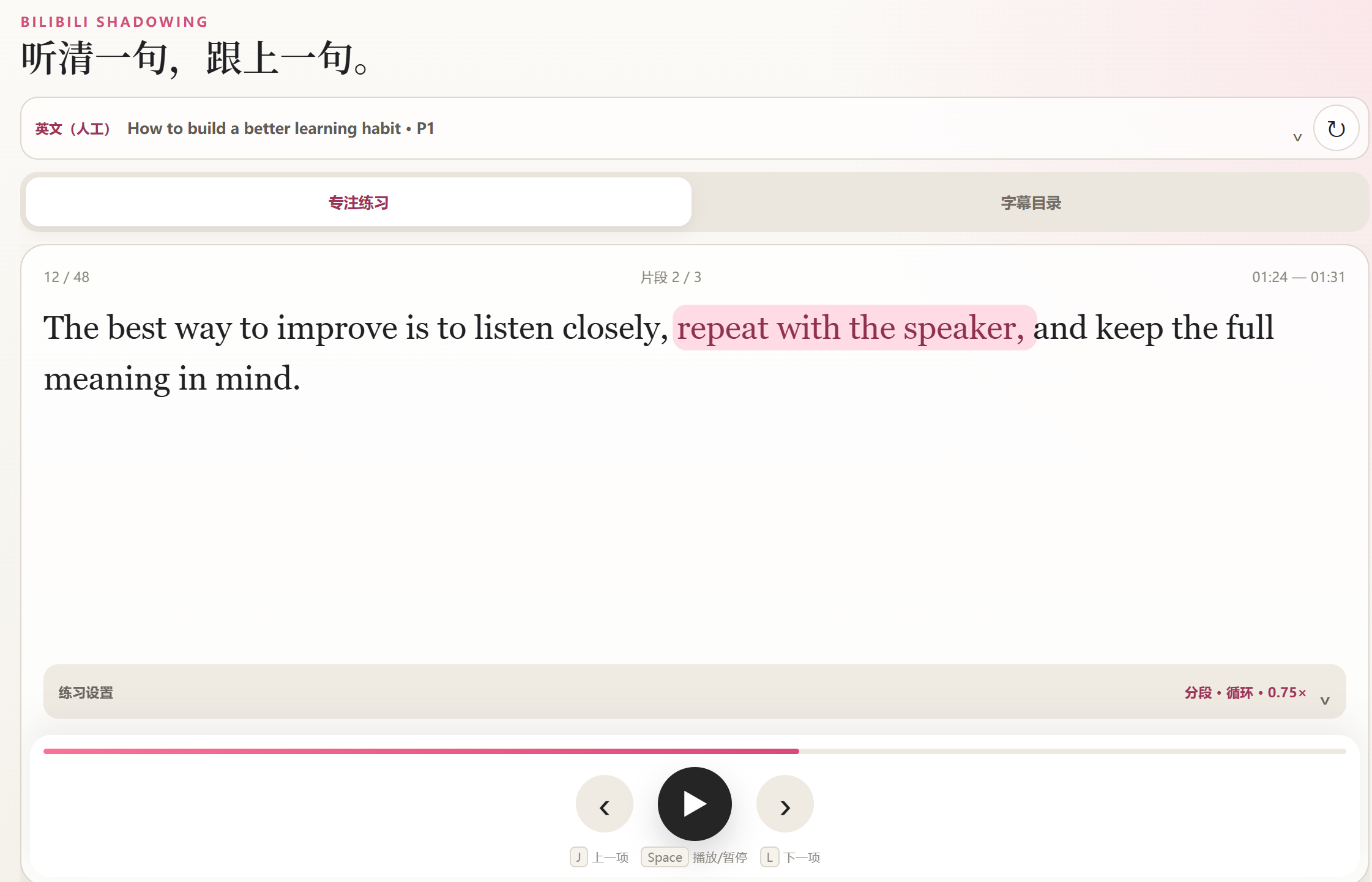
Listen closely. Speak along.
Shadowing Studio is an independent, unofficial English shadowing extension for regular Bilibili BV videos with accessible English CC subtitles. The interface is in Simplified Chinese.
Practise whole sentences or shorter segments, use single-unit playback, continuous playback or looping, and choose speeds from 0.5× to 2×. Export processed sentences or original cues locally as SRT, TXT, Markdown or JSON.
Getting started
- Install the extension in Chrome 114 or later, then refresh a supported video page with existing English CC. Some subtitles require signing in to Bilibili.
- Click the extension icon to open the side panel and wait for subtitles.
- Open 练习设置 (Practice settings), choose 整句 (Sentence) or 分段 (Segment), select a mode and speed, then play.
- Expand the video information area to choose a subtitle track or export format.
Burned-in captions, videos without accessible English CC, bangumi, livestreams, courses, interactive videos and short URLs are outside the supported scope. The extension does not generate subtitles, recognize speech, record audio, score pronunciation, translate content or download video.
Subtitle processing is local; Bilibili requests and local preference storage are described in the Privacy Policy. For questions or privacy concerns, use GitHub Issues. Issues are public and submitting one requires a GitHub account. Do not post sensitive personal data, passwords, cookies, tokens or private subtitles.